QR Code Forms, Surveys & Quizzes

Forms that start with a scan

Surveys, quizzes, feedback cards and sign-up sheets — each with its own link and its own dynamic QR code. Put the code on a table, a poster or a whiteboard, and the answers arrive as charts, a ranking and a spreadsheet, while the code stays the same whatever you change.

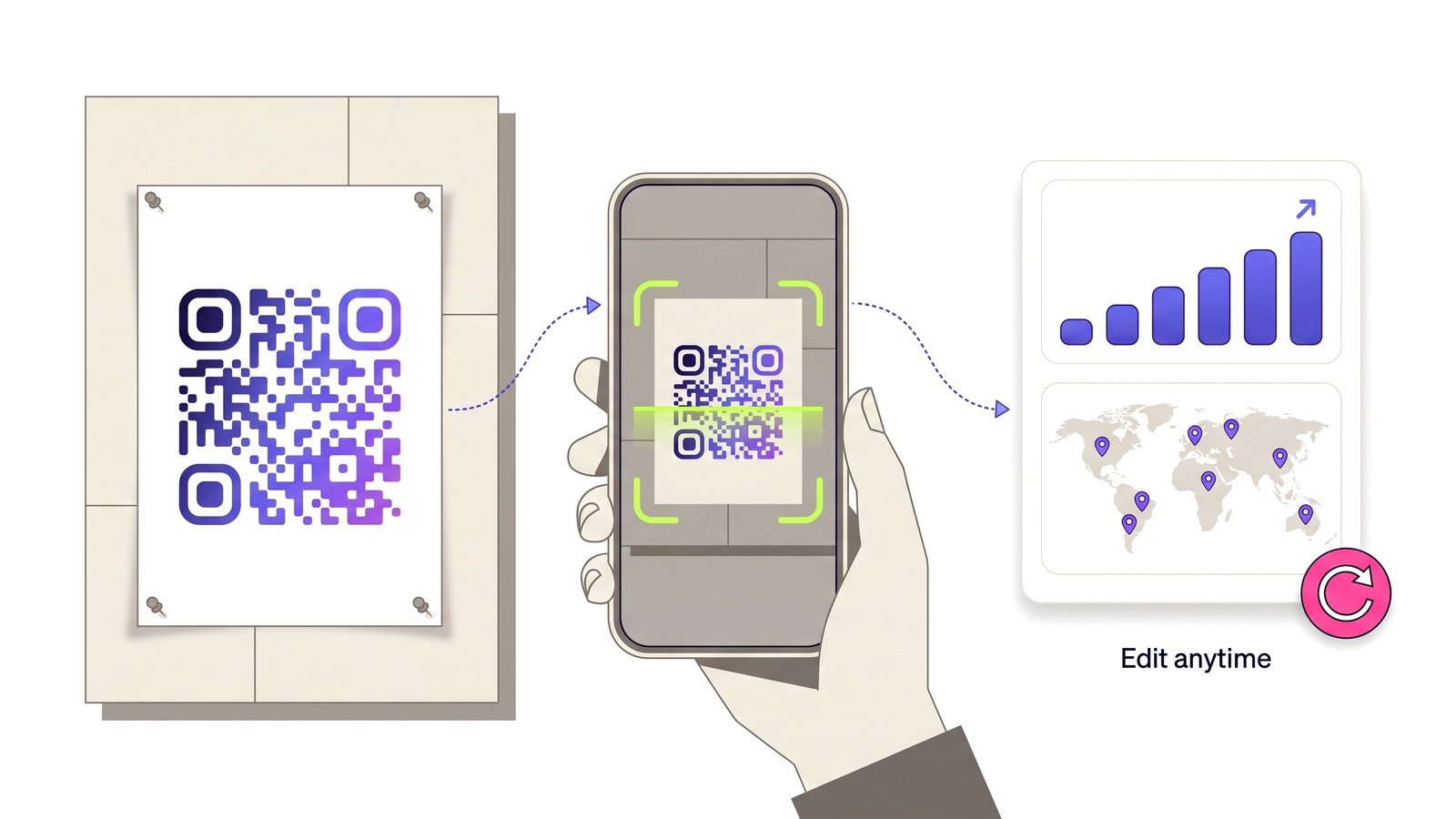
Create a form — start free A printed poster QR code being scanned by a phone, feeding a dashboard of scan analytics.

The best moment to ask is the moment they are standing there

A feedback email sent the next morning is answered by the people who were already going to answer it. The table card at the end of the meal, the poster by the exit of a talk, the QR code on the last slide of a class — those reach everybody who was in the room, while what they think is still fresh. That is where a form belongs, and it is why every form here comes with its own dynamic QR code rather than a link you have to shorten and paste somewhere yourself.

The page a respondent lands on is built for a phone at arm’s length: large targets, one question after another, sections as steps, and a submit button a thumb can reach. It opens in a second on a weak signal, it follows the phone into dark mode, and an Arabic form is drawn right to left with the buttons and messages translated.

Four kinds of form, each set up for its job

You choose what the form is for when you create it, and it arrives with sensible questions and settings already in place. A survey gathers information and can be fully anonymous — no name, no email, and no record of the respondent’s network. A quiz (QCM) has correct answers, points and a pass mark, and can be timed, shuffled and limited to one attempt. A feedback form asks for a rating and a Net Promoter Score and leaves a way to reply. A registration collects names and emails, closes on a date, and stops at the number of seats you have.

Eleven question types cover almost everything: short and long text, single and multiple choice, dropdowns, ratings from 1–5 or 1–10, yes or no, numbers, email addresses, phone numbers and dates. Each is checked on our side before it is stored, so a phone number field holds phone numbers.

Quizzes that mark themselves — and cannot be peeked at

Mark the right answers once and every submission is scored the moment it arrives. The correct answers never reach the participant’s phone: the page only knows the questions, so opening the page source reveals nothing. A time limit is kept by our server from the moment somebody presses Start, and reloading the page resumes the same attempt rather than resetting the clock.

Afterwards you choose what each participant sees — their score, the full correction with your explanations, or simply a thank-you. You see a ranking by score and then by time taken, the pass rate, and the success rate of every question, which is the list of what to teach again.

Results you can use the same day

Every choice and rating question gets its own chart, text answers are listed, and short answers that repeat are counted together. Export everything as a CSV that opens straight in Excel — accents and Arabic included — or, on Pro and Teams, as a branded PDF report for a meeting. On the Teams plan, colleagues can build and read forms with you, and a form’s results can appear in a client’s read-only portal, without names or contact details.

And because the QR code is dynamic, the printed code never has to change: close one form and point the same code at the next, or restyle it in QR Studio, and every poster already on a wall follows.

What you get

What the feature actually does, part by part.

A dynamic QR code per form

One click gives the form its own code, with scan analytics and your brand template — and it can be re-pointed after it is printed.

Timed quizzes (QCM)

Correct answers, points, pass mark, time limit, shuffling and one attempt per participant, all marked on the server.

Feedback with NPS

Ratings and a Net Promoter Score calculated for you, with promoters, passives and detractors counted.

Registrations with a seat limit

Stops at the number of places you have, closes on a date, and says how many places are left if you want it to.

Made for a phone

Large targets, sections as steps, dark mode and right-to-left Arabic, on a page that loads on half a bar of signal.

Charts and a ranking

A summary for every question, a leaderboard for quizzes, and the success rate of every question.

CSV and PDF export

A spreadsheet that opens in Excel with every accent intact, and a branded PDF report on Pro and Teams.

Embed anywhere

Copy one line of HTML and the form runs inside your own website as well.
Built for

Anywhere a question is best asked in person, on paper, at the moment it matters.

Restaurant feedback Classroom quizzes Training assessments Event RSVPs Customer surveys Lead capture at a stand Hotel check-out

From idea to a printed code in four steps

No technical knowledge required.

1

Open Forms and pick a survey, a quiz, a feedback form or a registration.

2

Edit the questions it starts with — add, reorder, mark the right answers.

3

Publish, then create the form’s QR code with one click.

4

Print the code; answers, charts and scores appear as people respond.

Which plans include this

Taken from the live plan matrix, so this page and your account always agree.

Free
Not included
Normal
Included
Pro
Included
Teams
Included

See the full plan comparison for everything each tier includes.

Questions people ask

Straight answers to what usually decides whether this is the right tool for the job.

Do respondents need an account or an app?
No. They scan the code or open the link and answer in their phone’s browser. Nothing to install, nothing to sign in to.
Can people see the correct answers of a quiz before they submit?
No. The correct answers are never sent to their phone — the page only contains the questions. After submitting, a participant sees their score or the correction only if you switched that on.
How does the time limit work?
The clock starts on our server when the participant presses Start, so closing and reopening the page does not reset it. When it reaches zero the answers are submitted as they are, with a short grace for a slow connection.
Can I change a form after the QR code is printed?
Yes. Edit the questions, close the form, or point the same QR code at a different form — the code on the poster stays the same because it is dynamic.
Does it work in Arabic and French?
Yes. Choose the language respondents see: buttons, messages and errors are translated, Arabic forms are drawn right to left, and the CSV export keeps every character intact in Excel.
Which plans include forms?
Normal includes 3 published forms and 100 responses a month; Pro includes 20 published forms and 1,000 responses a month; Teams includes unlimited forms and 10,000 responses a month. PDF reports and removing the branding come with Pro and Teams; team access and client portals with Teams.

Ask the question where people already are

Free plan available forever. No credit card required. Get started in under 60 seconds.

Create a form — start free