Pre-Built QR Landing Pages

A QR code is only half the job

The other half is the page it opens. Pick the situation you are printing for — a menu, a review card, an offer, an event — fill in a short form, and get a page written for somebody standing up holding a phone.

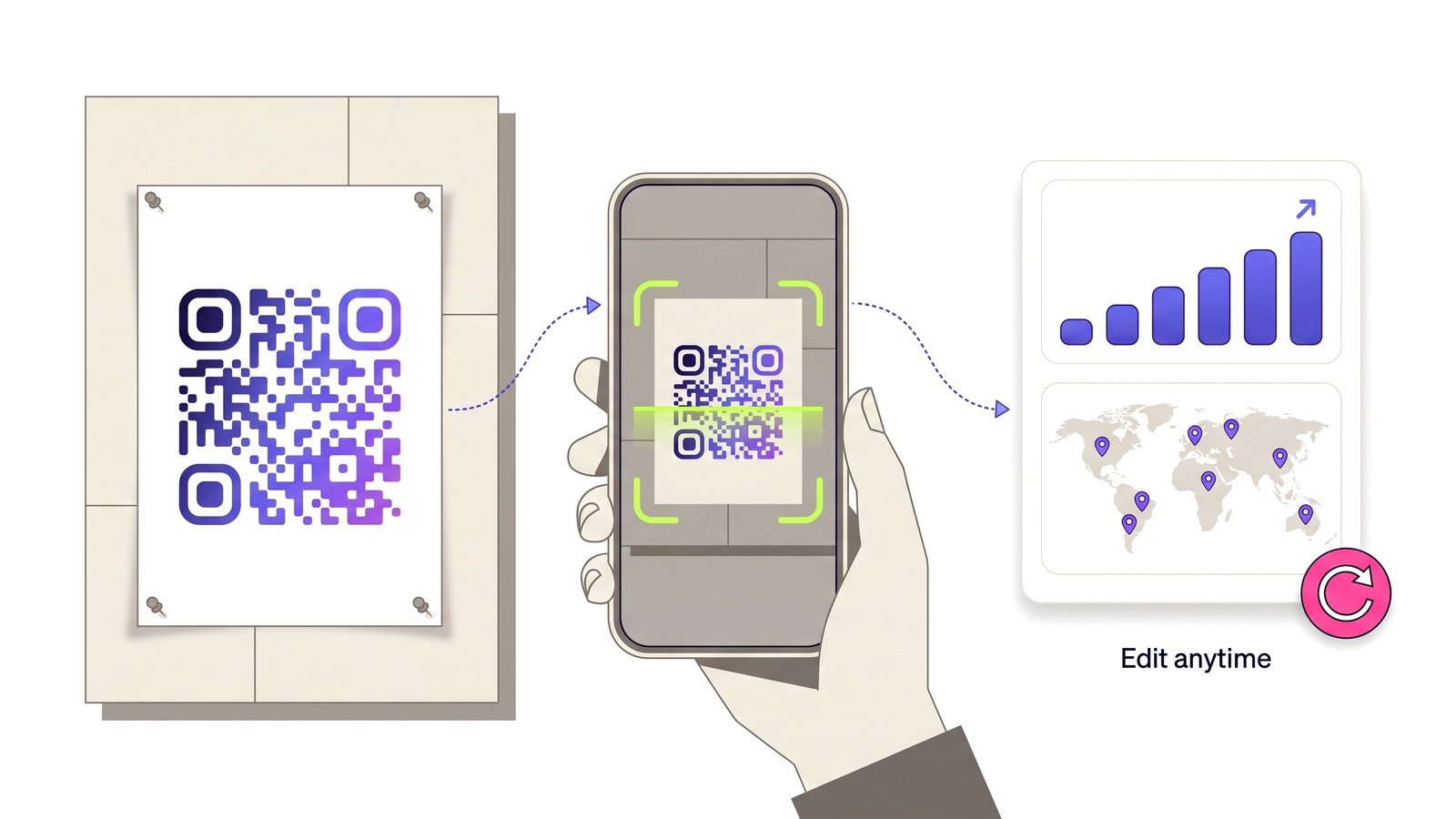
Build a landing page — free to start A printed poster QR code being scanned by a phone, feeding a dashboard of scan analytics.

Most QR codes fail after the scan, not before it

A code that scans first time, from the right distance, in poor light, has done its job. Then it opens a homepage: a cookie banner, a navigation bar, a hero image sized for a desktop monitor, and somewhere below the fold the thing the poster was actually about. The person scanning is standing up, holding a phone at arm’s length, with about eight seconds of patience. They leave, and the campaign reports a scan.

That page is usually not anybody’s fault. It was written for a visitor who arrived by search, with intent, on a laptop. A scan is the opposite of that: no intent, no context, one thumb. It needs its own page, and building one per campaign is exactly the job that never gets done — so the code gets pointed at the homepage and the scan is wasted.

A preset is a page that already knows the questions

You are not designing anything. You pick what you are printing for and answer the questions that layout asks: the menu preset wants the menu link, the sections, and the kitchen hours. The offer preset wants the code, where it is redeemed, and when it expires. The event preset wants the date, the door time and the address.

Nothing asks you to choose a font, a column width, or where a button goes. Every page starts filled in with real copy rather than placeholder text, so a page saved half-finished still reads like a page somebody wrote — which matters, because the code is going to the printer either way.

One screen, one action

Every preset is built around a single button. Everything else on the page — the secondary links, the details list, the small print — sits under it and exists to support the decision, not to compete with it. There is no navigation, because there is nowhere else to go: this is a page somebody reached by pointing a camera at a thing in the world, and the only useful outcome is the one the thing was advertising.

The page is mobile-first in the literal sense: it is designed at phone width and it happens to work on a laptop, rather than the other way round. It carries no tracking scripts of its own and loads as one document, so it opens on a hotel Wi-Fi or half a bar of signal.

The page is editable after the code is printed

The address stays the same, so the code stays the same. Change the offer, swap the menu link, move the event, and every code already on a wall starts showing the new page. That is the same promise a dynamic QR code makes about its destination, extended to the destination itself.

When a campaign ends you pause the page rather than deleting it. The code is still on the poster, and a “not found” is a better thing to find than an offer that expired three months ago. Views are counted the way scans are — link unfurlers and crawlers are filtered out, so the number is people.

What you get

What the feature actually does, part by part.

Seven pre-built layouts

Menu, review request, offer, event, app download, contact and product info — one for each thing people actually print a code for.

A form, not a canvas

Each preset asks its own questions, in its own words, and arrives prefilled with copy that already reads properly.

Built for a phone at arm’s length

One screen, one main action, no navigation, and type large enough to read standing up.

Four palettes and your colour

Pick a theme and the accent your buttons take, so the page looks like the thing the code is printed on.

A short address you choose

Every page is served from its own memorable link, which never changes when you edit what is on it.

Views counted like scans

Link previews, crawlers and prefetches are filtered out, so a busy Saturday does not look like one WhatsApp message.

Pause when a campaign ends

Take a page down without deleting it, and put it back up next season without reprinting anything.

Editable after printing

The address stays put while the content changes, so a printed code follows the page wherever the copy goes.
Built for

Anywhere a code is printed on something a person is standing in front of.

Restaurant tables Shop windows Event posters Product packaging Trade stands Vehicle livery Direct mail

Four steps from nothing to a printed code

No technical knowledge required.

1

Open Pages and pick the preset that matches what you are printing.

2

Answer its questions — most of them are already filled in.

3

Choose a palette and your accent colour, then publish.

4

Point a QR code at the page address and send the artwork to print.

Which plans include this

Taken from the live plan matrix, so this page and your account always agree.

Free
Not included
Normal
Not included
Pro
Included
Teams
Included

See the full plan comparison for everything each tier includes.

Questions people ask

Straight answers to what usually decides whether this is the right tool for the job.

Why not just point the code at my website?
You can, and for some codes that is right. But a website homepage is written for somebody who arrived by search on a laptop with a reason to be there. A scan is none of those things: no context, one thumb, a few seconds of patience. A pre-built page is one screen with one action, which is what that moment can actually use.
Can I edit the page after the code is printed?
Yes — that is the point. The page keeps its address, so the printed code never changes. Edit the content and every code already in the world shows the new version the next time it is scanned.
Do I need to know anything about design?
No. You are filling in a form, not laying out a page. The preset decides what appears and in what order; you answer questions like “where is the menu” and “when does the offer end”, and each one arrives already filled in with copy that reads properly.
What happens when the campaign is over?
Pause the page. The code is still on the poster, so it keeps resolving, and anybody scanning it gets a plain not-found rather than an offer that expired in the spring. Unpause it next season without reprinting a thing.
Are the page views counted separately from scans?
Yes. A scan is a hit on the code; a view is somebody actually opening the page. Views are filtered the same way scans are, so link previews from WhatsApp or Slack and search crawlers are not counted as people.
Which plans include pre-built pages?
Pro and Teams.

Give your code somewhere worth landing

Free plan available forever. No credit card required. Get started in under 60 seconds.

Build a landing page — free to start